Version 4.0

EZGPT.APP

Chat with your own models, right in the side panel.

EZGPT.APP puts a chat window for your own language models in the browser side panel. Point it at LM Studio or Ollama on this machine, a server on your LAN, or a cloud API, and talk to the model while you keep browsing. It stays open when you click around the page, and it never sends anything anywhere except the server you configured.

Free. No account. Chrome and Edge 116 or newer.
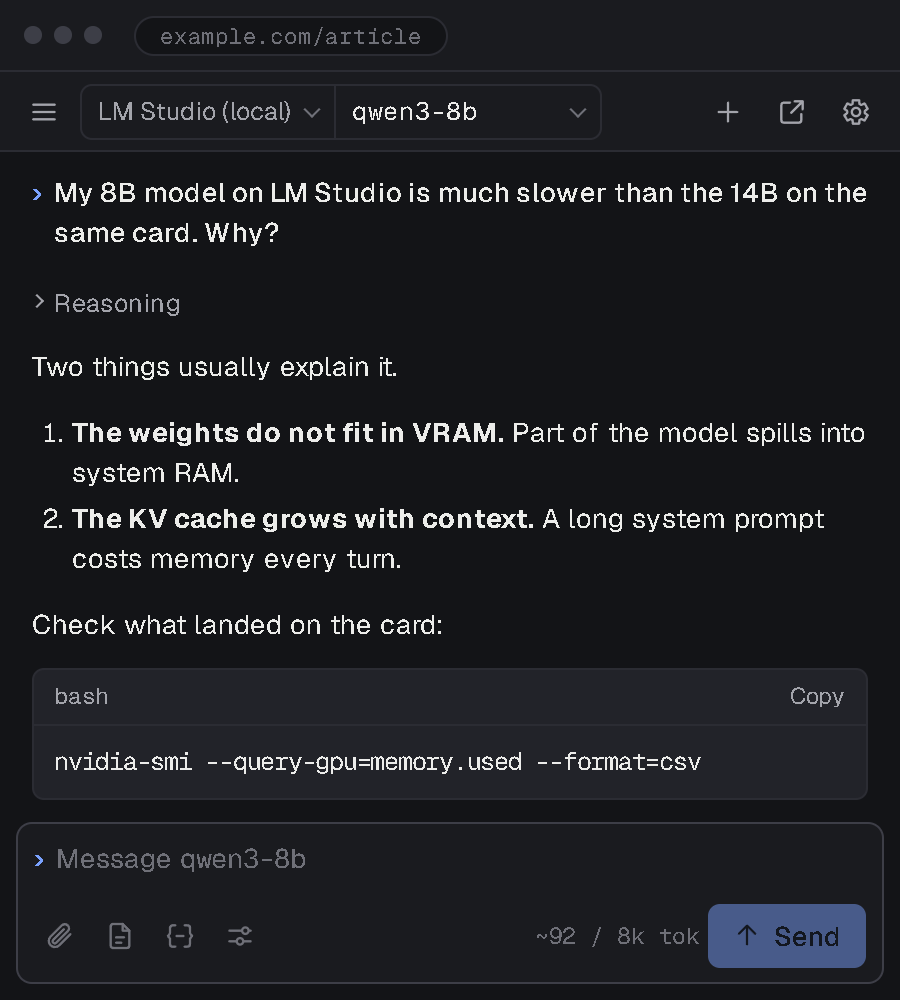
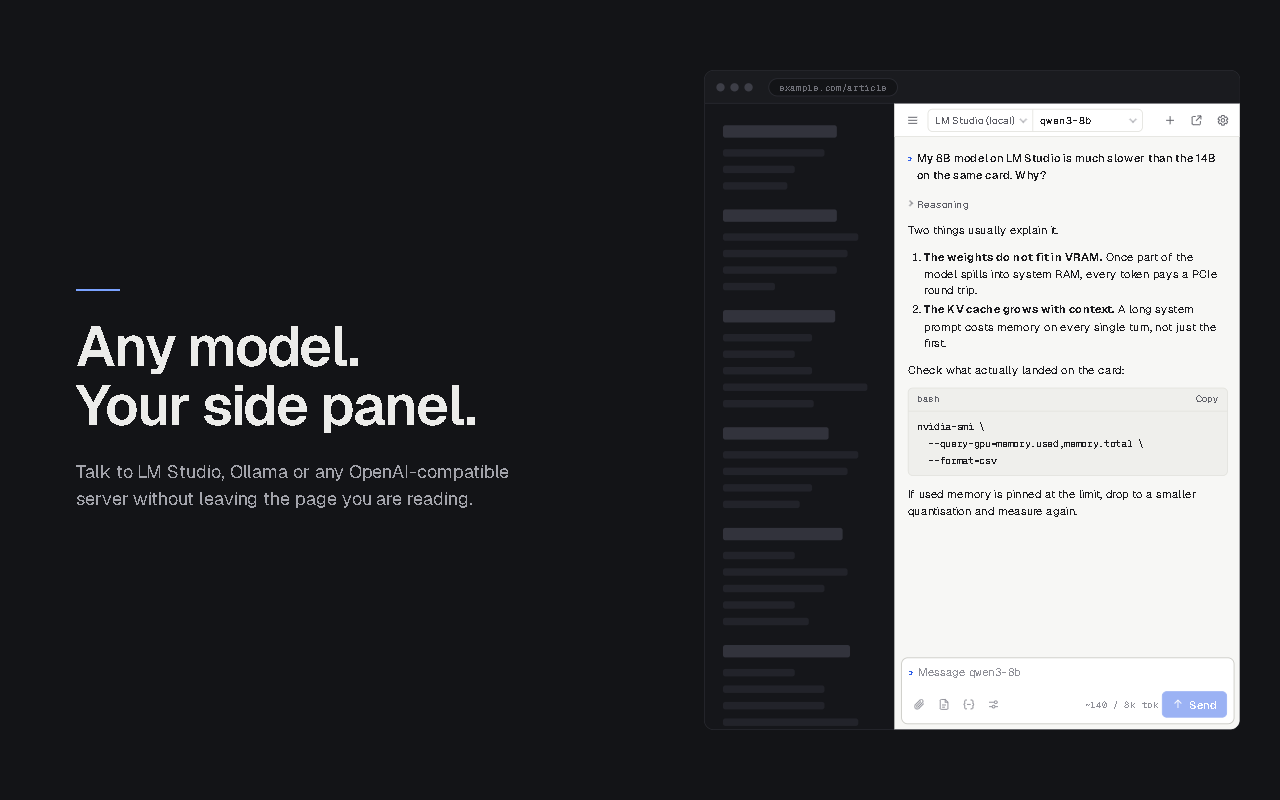
The EZGPT.APP side panel, showing a prompt, a collapsed reasoning block, an answer with a code block, and the composer

What's new in 4.0

Side panel first. The popup and detached window are gone. The panel stays open while you browse, and the reply keeps streaming.
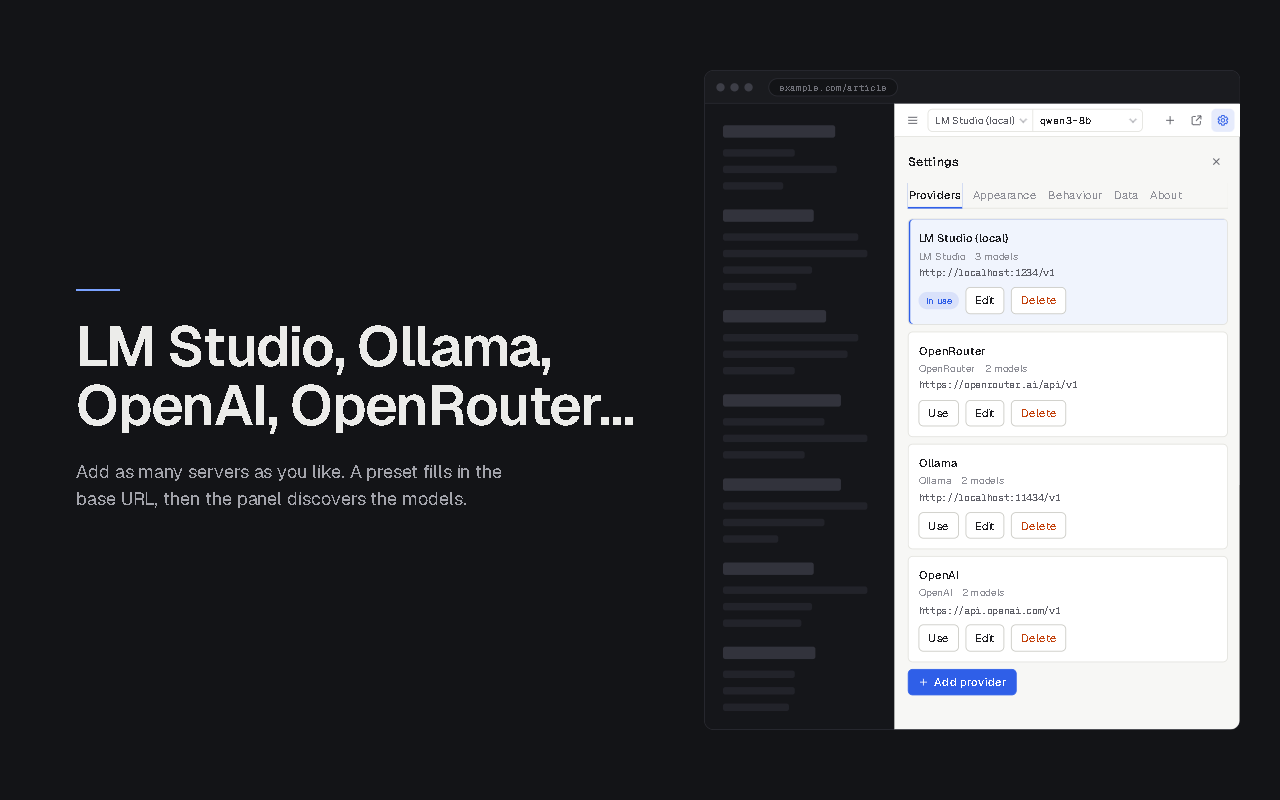
Presets for seven providers. LM Studio, Ollama, OpenAI, OpenRouter, Anthropic, Gemini and Custom. Pick a model per chat from the top bar.
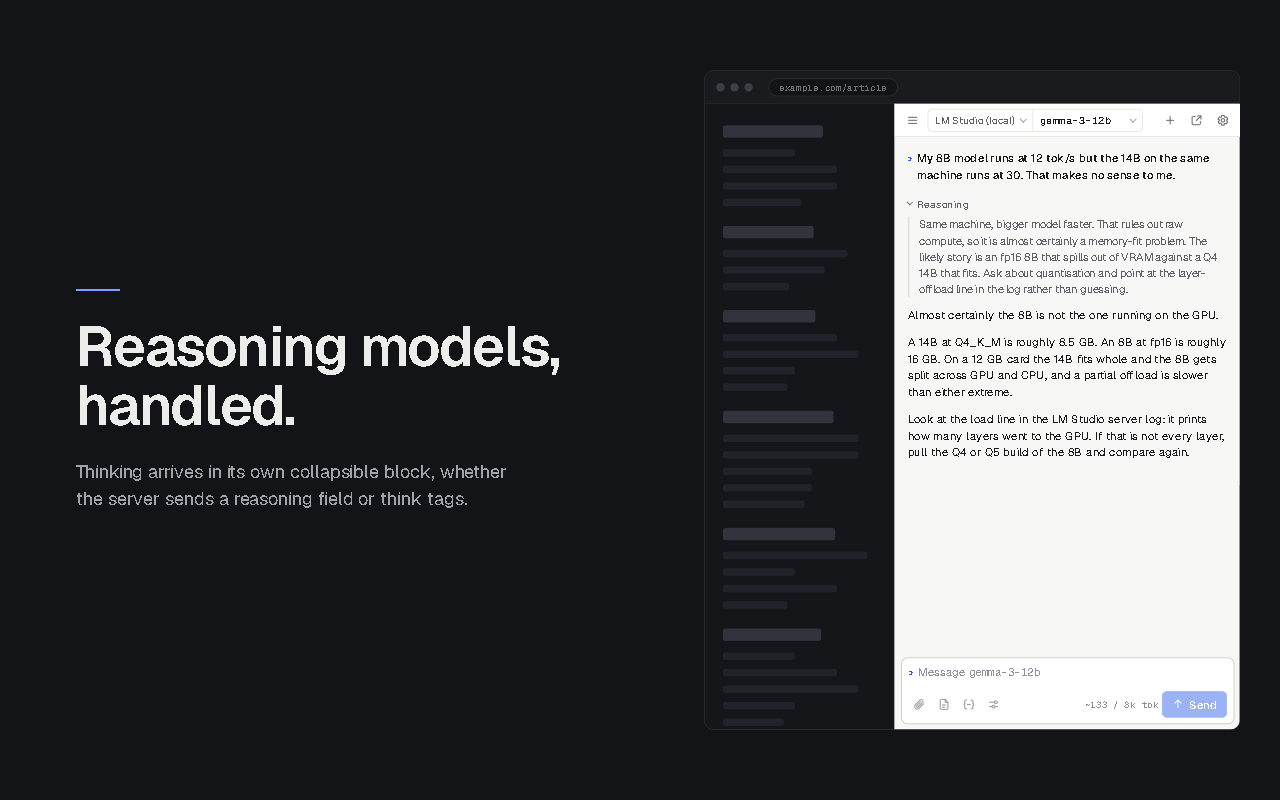
Reasoning models handled. Thinking shows in a collapsible block, whether it arrives as a reasoning field or as think tags.
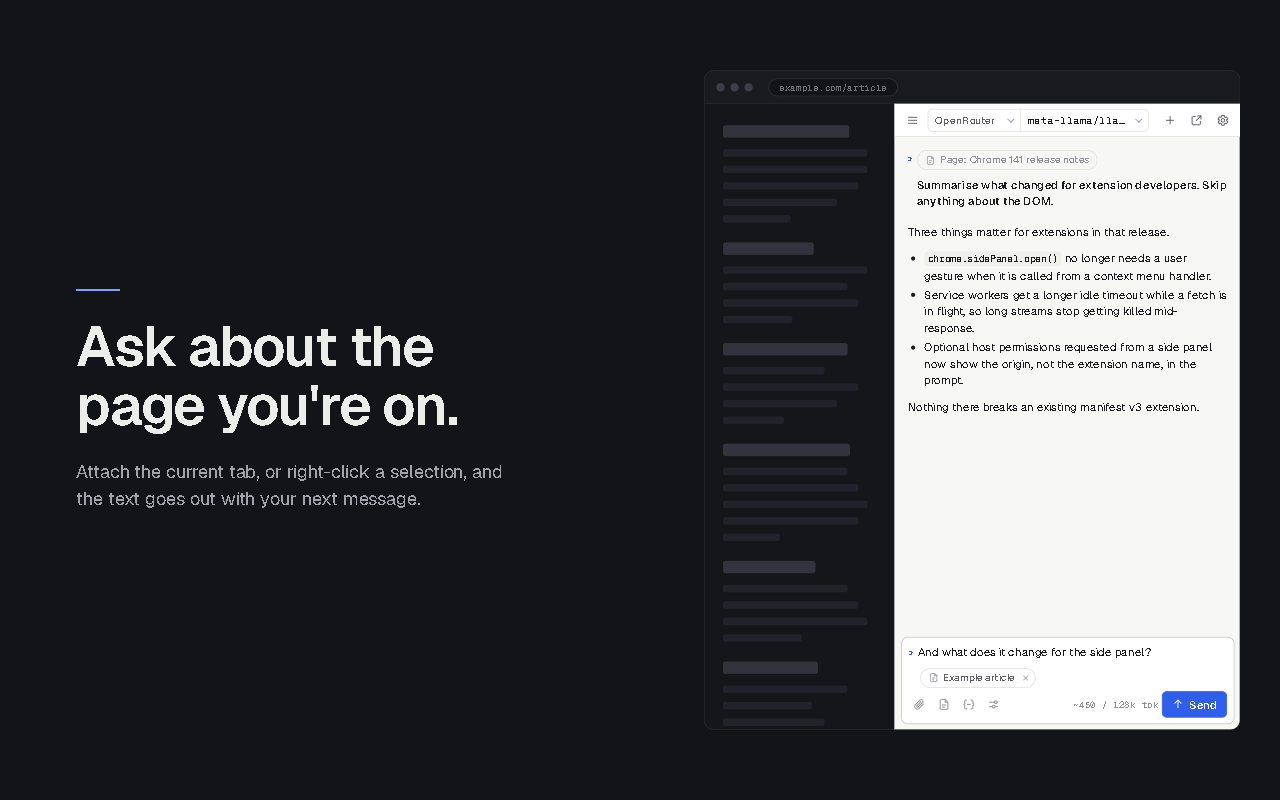
Ask about the page. Attach a selection or the readable page text, or right-click any selection.
Permissions when you use them. Nothing is granted at install. Each model server is asked for by its own address the first time you talk to it. Reading a page uses the one-off access your own click grants, and asks for more only if that is not enough.
Upgrading from 3.x is automatic. Your providers, chats, images and snippets are migrated the first time 4.0 starts.

Works with

LM Studio

On localhost or your LAN. The default preset.

Local

Ollama

On localhost or your LAN. No extra CORS setup needed.

Local

OpenAI

Through the chat completions API with your own key.

Cloud

OpenRouter

Hundreds of hosted models behind one key.

Cloud

Anthropic

Claude models through the OpenAI-compatible endpoint.

Cloud

Gemini

Google models through the OpenAI-compatible endpoint.

Cloud

Any OpenAI-compatible server

vLLM, llama.cpp, LocalAI, text-generation-webui and others.

Custom

What you get

๐Ÿงญ

Side panel first

Open it with one click or Ctrl+Shift+E. It stays open while you browse, and the reply keeps streaming.

๐Ÿ”€

Model switcher in the top bar

Discover the models a server offers and change model per chat without editing settings.

โน๏ธ

Streaming with a Stop button

Partial replies are kept if you stop or close the panel.

๐Ÿง 

Reasoning models handled

DeepSeek, Qwen, QwQ and gpt-oss style thinking shows in a collapsible block, whether the server sends it as a reasoning field or as think tags.

๐Ÿ“„

Ask about the page

Attach the selected text or the readable text of the current tab to your message. Right-click any selection and choose "Ask EZGPT.APP aboutโ€ฆ".

๐Ÿ–ผ๏ธ

Images

Paste, drop or attach screenshots for vision models such as Qwen-VL, LLaVA, Pixtral or GPT-4o.

๐Ÿ“

Markdown answers

Code blocks with one-click copy.

๐ŸŽ›๏ธ

Per-chat parameters

Temperature, top-p, max tokens and stop sequences, set for each chat.

โœ‚๏ธ

Prompt snippets

Save the prompts you reuse from the composer's tool row and insert them with a click.

๐Ÿ—‚๏ธ

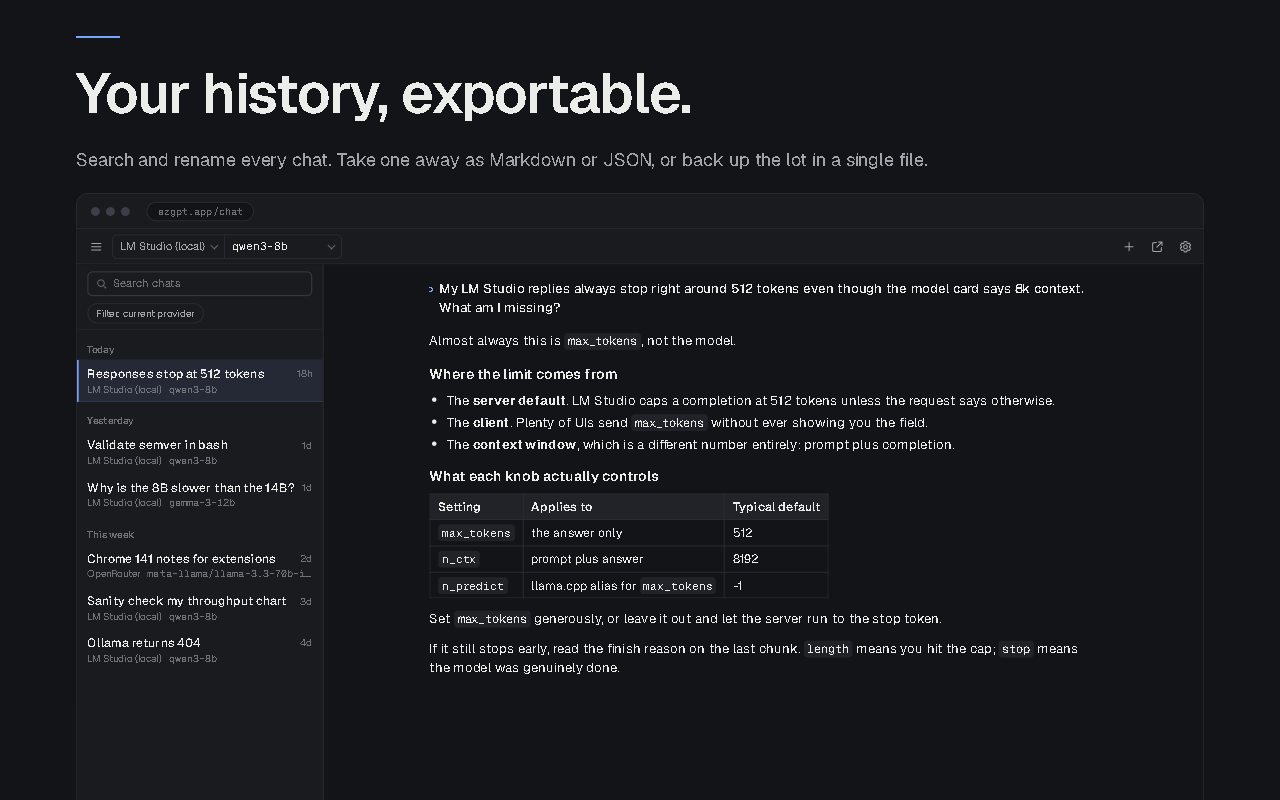
History you own

Search, rename and grouping by day. Export a chat as Markdown or JSON, or back up everything as one file and restore it later.

๐ŸŽจ

Your look

Light, dark and system themes, four accents, three densities.

๐ŸชŸ

Full tab when you want room

Click "Open in tab" in the top bar to get the same chat in a full tab, with the chat list as a permanent left column.

See it

Streamed markdown reply with a code block in the side panel
Collapsible reasoning block and the model switcher
Page context chip attached to a message
Provider settings with presets for LM Studio, Ollama, OpenAI and OpenRouter
Full tab mode with the chat history sidebar

Get EZGPT.APP

Install from the Chrome Web Store

One click from the official store. Works in Chrome and Edge 116 or newer. There is nothing to sign up for and nothing to configure on a server.

โœ… One-click installation
โœ… Automatic updates
โœ… No account, no telemetry
โœ… 3.x settings migrate automatically

Free โ€ข No registration required โ€ข Version 4.0

Getting started

Start your model server, click the EZGPT.APP icon, pick a model in the top bar and type your first message. Pick your server below for the details.

LM Studio

  1. Install LM Studio and load a model.
  2. In LM Studio go to Developer โ†’ Start server. It listens on port 1234 by default.
  3. Click the EZGPT.APP icon. The side panel opens with the LM Studio preset at http://localhost:1234/v1 already selected.
  4. The first time, the browser asks to allow access to localhost:1234. Allow it.
  5. Pick a model from the model dropdown in the top bar and type your first message.
Preset: LM Studio
Server URL: http://localhost:1234/v1
API key: (leave empty)
Model: model dropdown in the top bar

Running LM Studio on another machine on your LAN? Use its IP instead of localhost and tick "Serve on local network" in LM Studio.

Ollama

  1. Install Ollama and pull a model, for example ollama pull llama3.2. Ollama's server is already running once it is installed.
  2. Click the EZGPT.APP icon, open Settings โ†’ Providers and click Add provider. Choose the Ollama preset, which fills in http://localhost:11434/v1, then Save provider.
  3. On save, the browser asks to allow access to localhost:11434. Allow it. You do not need to set OLLAMA_ORIGINS.
  4. Pick Ollama in the top-bar provider dropdown, or click Use on its card. Pick a model from the model dropdown and type your first message.
Preset: Ollama
Server URL: http://localhost:11434/v1
API key: (leave empty)
Model: model dropdown in the top bar

OpenAI

  1. Create an API key at platform.openai.com.
  2. In EZGPT.APP open Settings โ†’ Providers, click Add provider and choose the OpenAI preset. The base URL is filled in for you.
  3. Paste your key, click Discover models, then Save provider. Allow access to the OpenAI address when the browser asks.
  4. Pick OpenAI in the top-bar provider dropdown, then pick a model from the model dropdown.
Preset: OpenAI
Server URL: https://api.openai.com/v1
API key: sk-โ€ฆ
Model: model dropdown in the top bar

Your key is stored only in this browser and is sent only to the OpenAI server, as an Authorization header.

OpenRouter, Anthropic and Gemini

These cloud services are reached through their OpenAI-compatible endpoints. Each has a preset, so you only add a key.

  1. Get a key from the service: OpenRouter, Anthropic or Google AI Studio for Gemini.
  2. In EZGPT.APP open Settings โ†’ Providers, click Add provider and choose the OpenRouter, Anthropic or Gemini preset. The base URL is filled in for you.
  3. Paste your key, click Discover models, then Save provider. Allow access to that service's address when the browser asks.
  4. Pick the provider in the top-bar dropdown, then pick a model from the model dropdown. OpenRouter lists every model your key can reach.
Preset: OpenRouter ยท Anthropic ยท Gemini
Server URL: filled in by the preset
API key: your key for that service
Model: model dropdown in the top bar

Use Alt+1โ€ฆ9 to jump between the providers you have set up.

Any OpenAI-compatible server

EZGPT.APP works with any server that speaks the OpenAI chat completions API: vLLM, llama.cpp, LocalAI, text-generation-webui and others, on your machine, your LAN or a host you rent.

  1. In EZGPT.APP open Settings โ†’ Providers, click Add provider and choose the Custom preset.
  2. Enter the server's base URL, usually ending in /v1, and a key if the server needs one.
  3. Click Test connection and Discover models, then Save provider. Allow access to that address when the browser asks.
  4. Pick the provider in the top-bar dropdown, then pick a model from the model dropdown.
Preset: Custom
Server URL: http://your-host:port/v1
API key: (if the server requires one)
Model: model dropdown in the top bar

Keyboard shortcuts

Ctrl+Shift+EOpen the side panel
EnterSend
Shift+EnterNew line
EscStop
Ctrl+NNew chat
Ctrl+KSearch chats
Ctrl+Shift+PAttach page
Ctrl+,Settings
Alt+1โ€ฆ9Switch provider

Privacy

๐Ÿšซ

No account, no analytics, no telemetry

There is no server on our side. The extension contains no analytics library, no crash reporter, no advertising and no remote code.

๐Ÿ’พ

Everything stays in your browser

Settings, chats and images live in your browser's storage. Uninstalling the extension deletes them.

๐Ÿ”Œ

Talks only to your servers

Requests go only to the servers you add, and only when you send a message, discover models or test a connection.

๐Ÿ‘†

Page text only on click

Page text is read only when you click "Attach page" or use the context menu. Never in the background.

Upgrading from 3.x

Your providers, chats, images and snippets are migrated automatically the first time 4.0 starts. The popup and detached window are replaced by the side panel. Open it with the toolbar icon or Ctrl+Shift+E. The first time you talk to each server, the browser asks you to allow access to that address. 3.x asked for every website at install; 4.0 asks for nothing until you use something.

Download EZGPT.APP

Ready to get started?

Add EZGPT.APP to your browser and chat with your own models from the side panel.

โœ… Local, LAN or cloud models
โœ… Any OpenAI-compatible API
โœ… Nothing leaves your browser but your own requests
โœ… Ready in under a minute

Free โ€ข No registration required โ€ข Chrome and Edge 116+